
Make decks in Excalidraw
Any .excalidraw file can be a deck. You draw it at excalidraw.com, in the VS Code
extension, in Obsidian or anything else that saves the format, and excalideck presents it.
Slides are frames
Section titled “Slides are frames”- Draw each slide inside a frame: the frame tool, F.
- Start each frame’s name with a number. That’s the order:
01 Title,02 Overview,03 Inside the shop. A frame without a number goes after the numbered ones. - For the next step, duplicate the frame (Ctrl/Cmd+D) and change the copy: move boxes, add some, recolour, dim.
- Optionally put tags in square brackets at the end of a frame’s name to choose the transition into that slide:
05 Inside Payments [zoom pop].
Then present it:
npx excalideck serve deck.excalidrawOr drag the file onto the hosted player. It’s read in your browser and not uploaded anywhere.
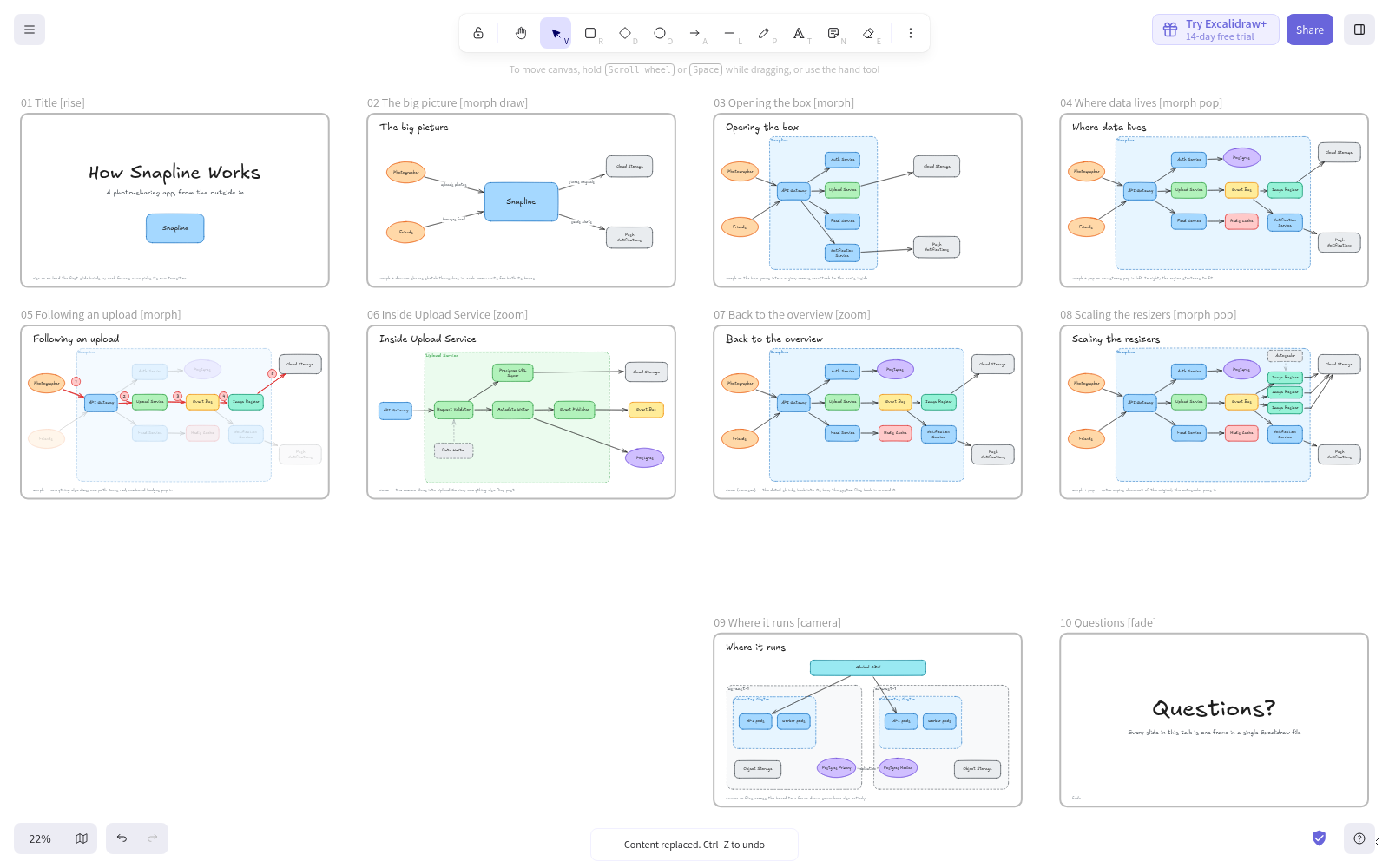
The example deck in Excalidraw: ten frames on one canvas. The last two sit far away from the rest, so the camera
transition has somewhere to fly.
What carries over
Section titled “What carries over”Shapes don’t need to be copies of each other to morph. excalideck pairs them by their labels: a box called “Orders API” on one slide is the same box as “Orders API” on the next, wherever it is and whatever its shape. So keep a label identical to keep the thing on screen, and give something a new label to make it new. Matching shapes has the whole rule.
| Tag | What it does |
|---|---|
morph (default) |
matched shapes glide, resize and recolour |
zoom |
the camera dives into, or pulls out of, the shape whose size changes most |
camera |
fly across the canvas to wherever this frame is |
fade |
cross-fade |
cut |
no animation |
fade draw pop rise |
how new shapes arrive (fade is the default) |
slow, fast |
change the speed |
nostagger |
bring new shapes in all at once instead of left to right |
Tags combine, separated by spaces or commas: [zoom pop slow]. fade is both a transition and an appear style: the
first transition word in the brackets is the transition, so [fade] cross-fades and [morph fade] morphs with new
shapes fading in. Transitions describes each one, and
when to use it. A tag the player doesn’t know is ignored, and excalideck check warns about it.
Check it before you present
Section titled “Check it before you present”npx excalideck check deck.excalidrawIt lists layout problems on each slide (overlaps, labels that don’t fit, arrows that aren’t attached) and what every transition will do. If something you meant to morph shows up under “exits” and “enters”, its label changed between the two slides. The layout checker explains the report.